

Overview
Get the Accessibility Widget on your Shopify store in minutes. Follow these steps to install the app, enable the widget, and make it visible on your storefront.Install from the Shopify App Store
- Go to the Shopify App Store and find the web-accessibility app.
- Click Add app to install it on your store.
- The installation process is the same as for other Shopify apps.
Approve permissions
During installation, Shopify asks you to approve the permissions the app needs. Review the requested access and click Install app to continue.Land in the app
After you approve the permissions, you land in the web-accessibility app dashboard.Enable the app embed
When you first open the app, you see a notice that the Accessibility Widget is not active.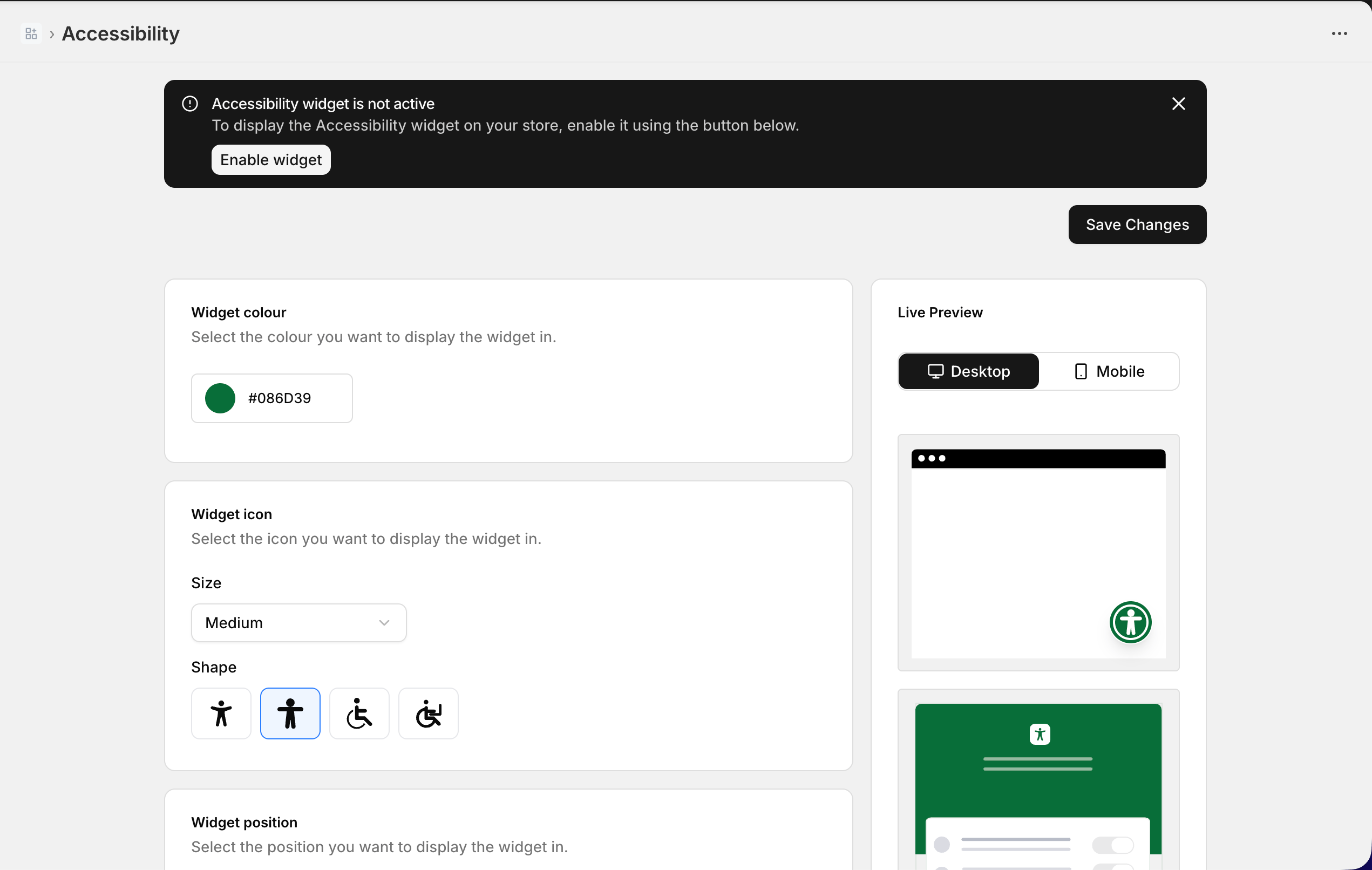
Save your theme changes
Clicking Enable widget redirects you to the App embeds section of your active theme in the Shopify theme editor. The Accessibility Widget app embed is enabled by default.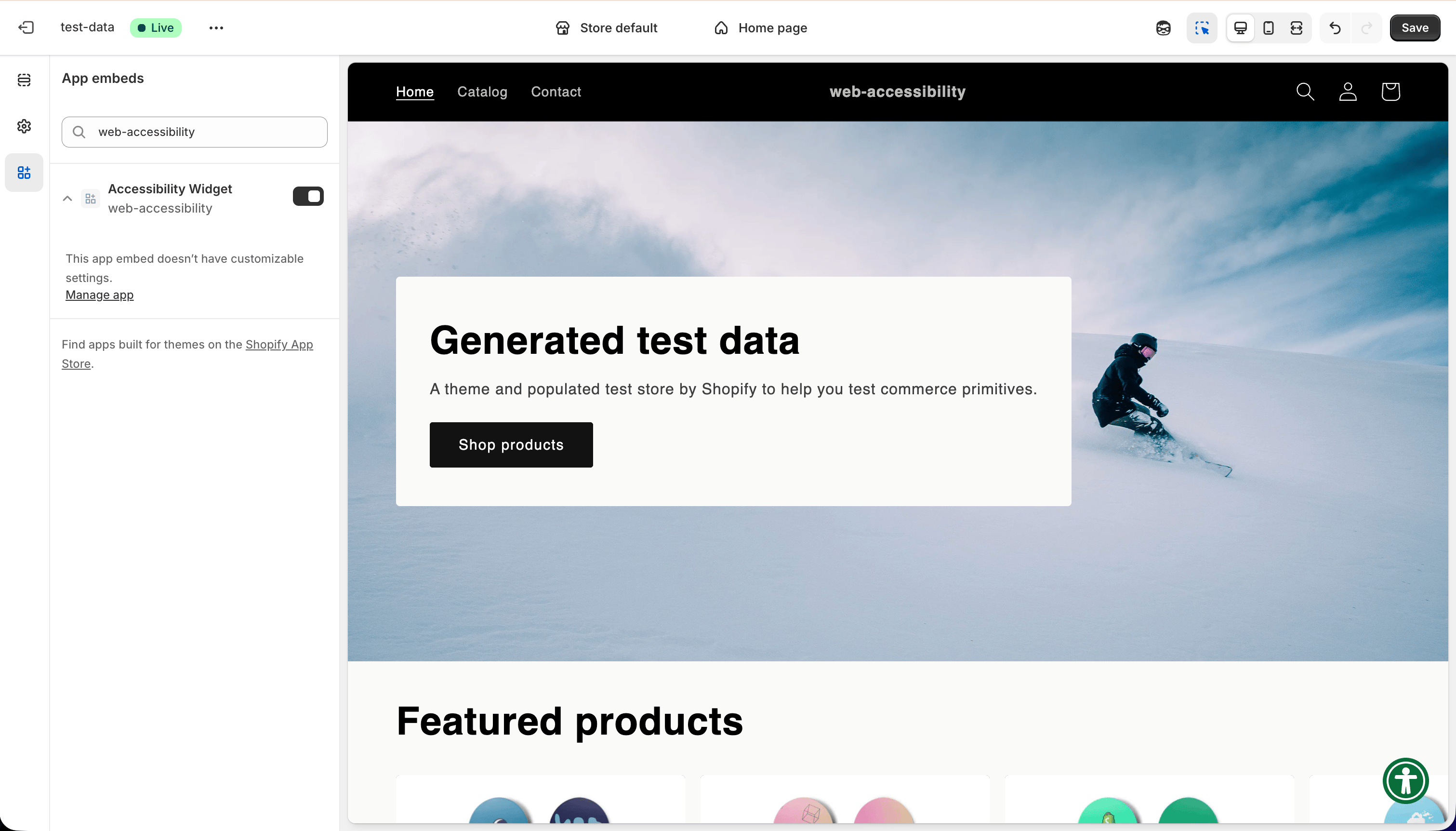
Widget visible on storefront
Once you save, the Accessibility Widget appears on your storefront. You can find it in the corner you selected (by default, the bottom-right).Next steps
Customize the widget
Change the colour, icon, position, and language to match your store.